






Time tracking that fits the way developers work

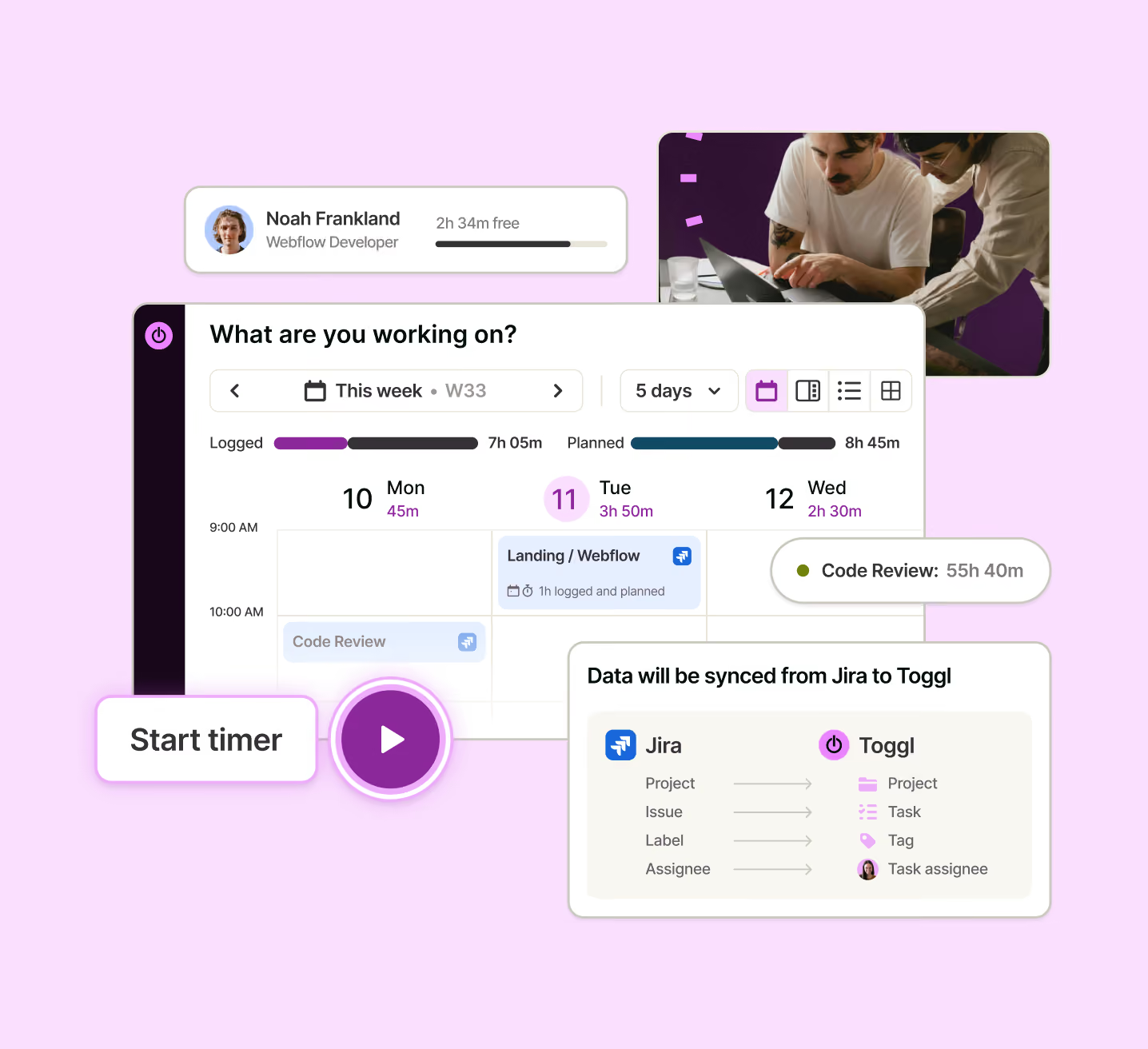
Track time in one click from tasks, Jira, calendar or the browser extension. Toggl turns those hours into project costs, billable work, real capacity and better sprint plans.

Managing a large team?

Easy, fuss-free onboarding

Instant setup, intuitive one-click time tracking and privacy-first approach to make it a breeze to get the whole team on board.

Multi-platform time tracking that fits into your workflow

Track time from inside other tools, whether Google Suite or Jira, from your desktop, your phone, or the web.

GDPR-compliant and committed to employee privacy

Toggl Track stays compliant with the latest GDPR regulatory developments and takes a hard stance against employee surveillance

No credit card required

Free 30-day trial for all features

Cancel anytime

Still unsure how it works?

Watch one minute intro

Know where engineering time goes. Plan what comes next.

Track time inside Jira, Asana, and your browser

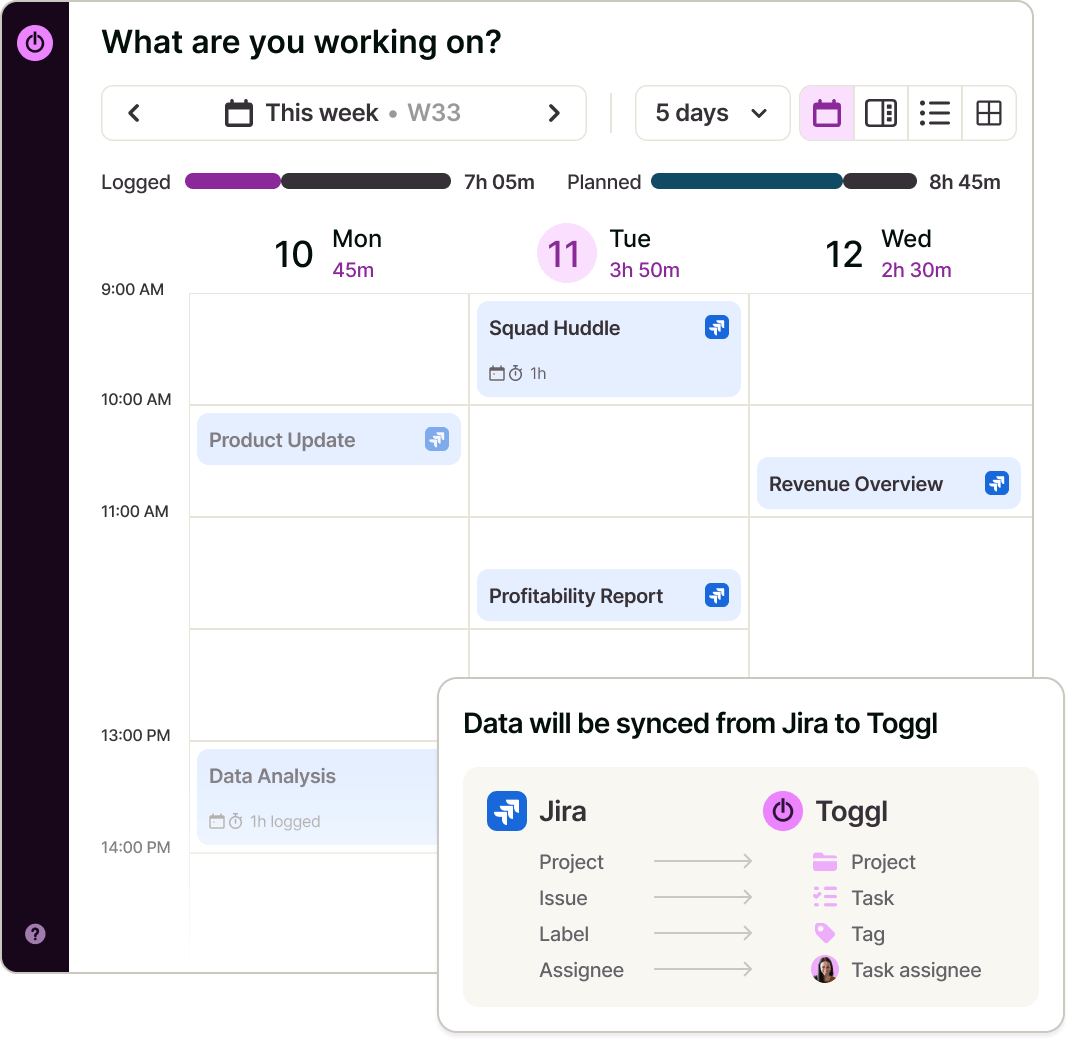
Track time from the work item already in front of you. Jira and Asana projects and issues sync to Toggl with links to the original tickets, while web, desktop, mobile, browser extension and API all write to the same time record.

"Toggl data helps us when it’s time to renegotiate contracts for clients. The reports help us understand hours usage and we can make the case for a higher rate.”

— Angela Wells, Senior Project Manager, Impekable

Turn hours into billing, cost and utilization

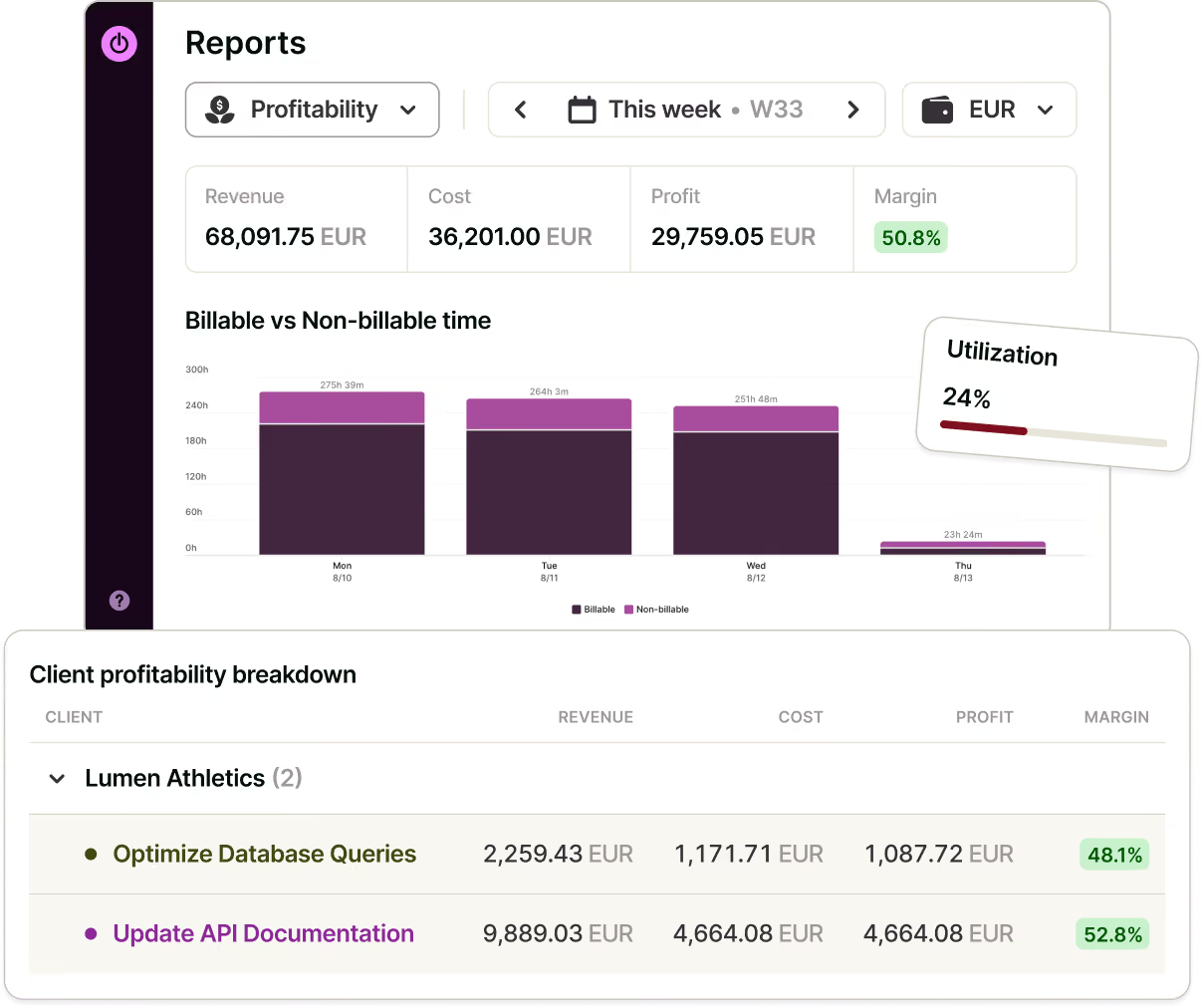
Turn tracked hours into billable revenue, labour costs, profitability, utilization and workload reports. Defend client work line by line, attribute internal costs, and approve timesheets for payroll or contractor invoices.

Plan on top of the hours you already have

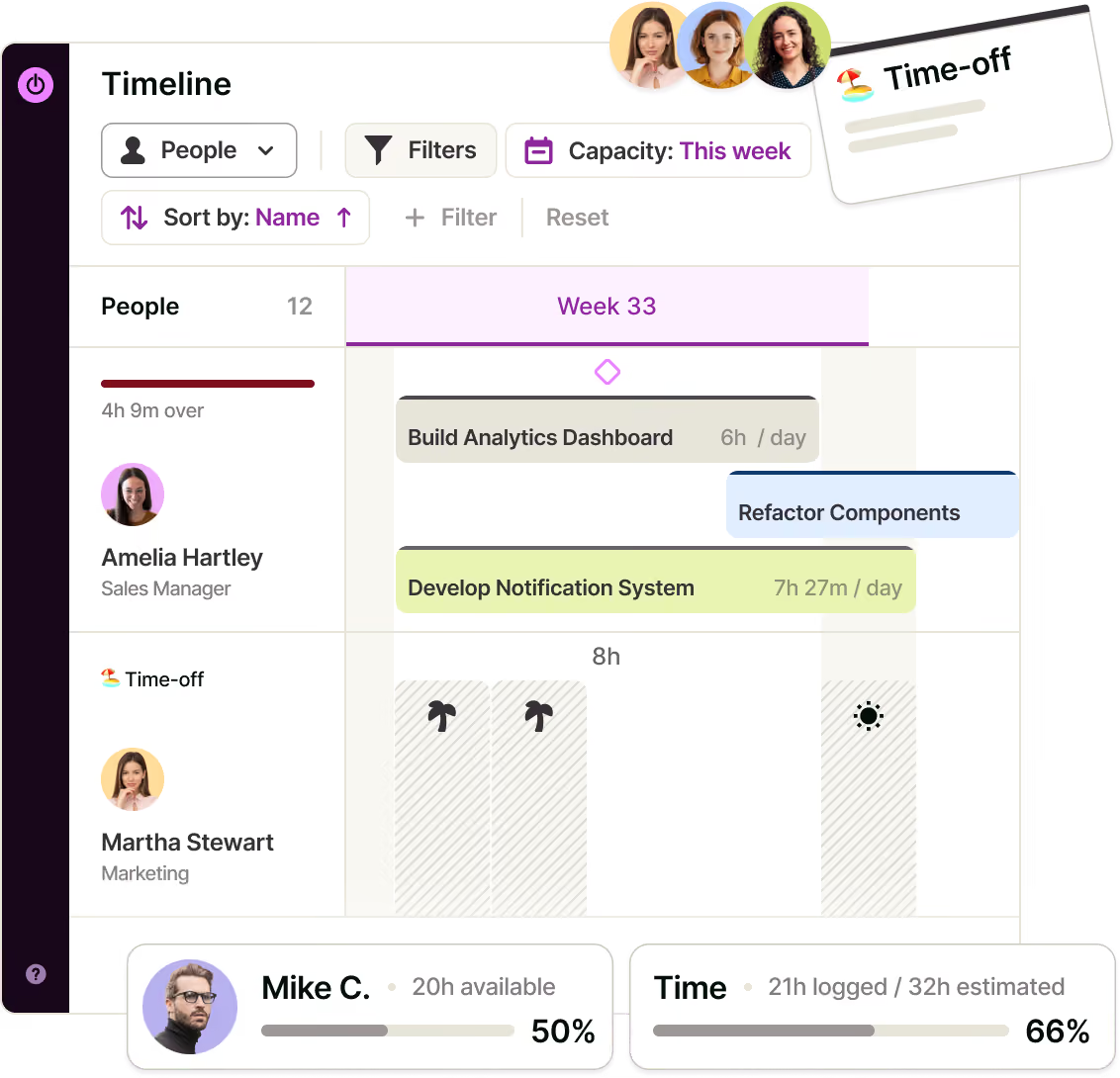
Because tasks and tracked time stay connected, Toggl automatically compares estimates with actuals and forecasts project completion. Capacity reflects working hours, task estimates, time off, holidays and calendar events—so you plan the next sprint around the week people actually have.

"In this way, as the status of projects and tasks are synchronized across different tools, developers can book onto tasks originating from different systems directly in Toggl and refer to the original ticket number without any additional detours.”

— C. Raschl, Software Architect, NETCONOMY

Run the sprint where you track it

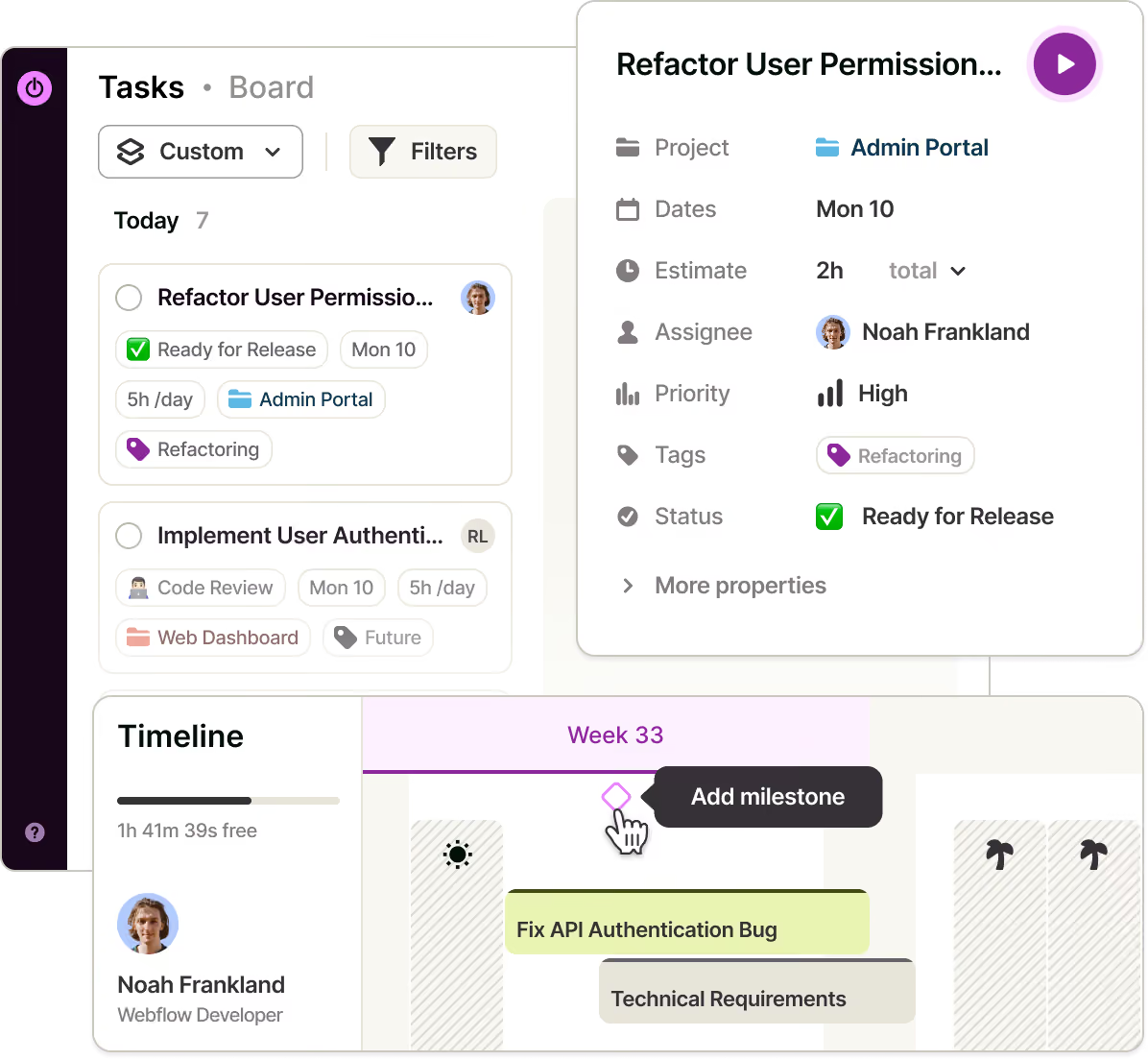
Toggl is where the work is planned, not only where it is measured. Tasks carry owners, estimates and due dates, custom statuses follow your own workflow rather than a fixed one, and releases sit on the Timeline as milestones.

One source of truth for every technical team

Software services, dev shops and IT consultancies

Bill accurately, prove the margin and pay contractors from the same hours. See estimate variance early enough to have the scope conversation before the project eats the fee, and give the client a report instead of an argument.

In-house engineering and IT operations

Attribute engineering and support hours to the teams and initiatives that consumed them. Show utilization and workload with numbers when making the case for another hire, and separate project work from maintenance, migrations and security reviews.

“Toggl was able to handle a large amount of data while offering the smoothest UX experience.”— M. Schantl, Head of Systems Engineers Core IT, NETCONOMY

Time tracking features for software development and IT teams
Automatic and one-click time tracking.
Track automatically with desktop keyword rules and a private activity timeline, or start in one click from a task, Jira issue, calendar event or browser extension. Manual, Pomodoro, web and mobile tracking are also available.
Jira and Asana sync.
Sync projects and work items to Toggl with links back to the source.
Billable rates, labour costs and profitability.
Set rates by workspace, member and project, then see costs and margins by project and client.
Utilization, Workload and Time Logs reports.
See where the hours went, who’s over capacity, and every entry behind the totals.
Timesheet approvals.
Submit, review and approve weekly timesheets for payroll and contractor invoicing.
Estimates, actuals and project dashboards.
Automatically compare tracked time with estimates, see billable and non-billable hours, and forecast project budget and time trends.
Timeline capacity and milestones.
Plan against working hours, time off, holidays and calendar load.
Integrations and developer tools.
Connect Toggl to internal systems through the API and MCP, integrate with Jira and more via browser extension.

FAQs

What are the disadvantages of a time clock calculator?

A time clock calculator is used by business owners, managers, and people ops to calculate their team’s work hours during a specific week. The generated timesheet helps process payroll, pay contractors, and comply with local labor laws.

Freelancers and contractors also use a work hours calculator to submit a timesheet for their workweek.