
Time tracking and capacity planning for consultants that drives profitable decisions

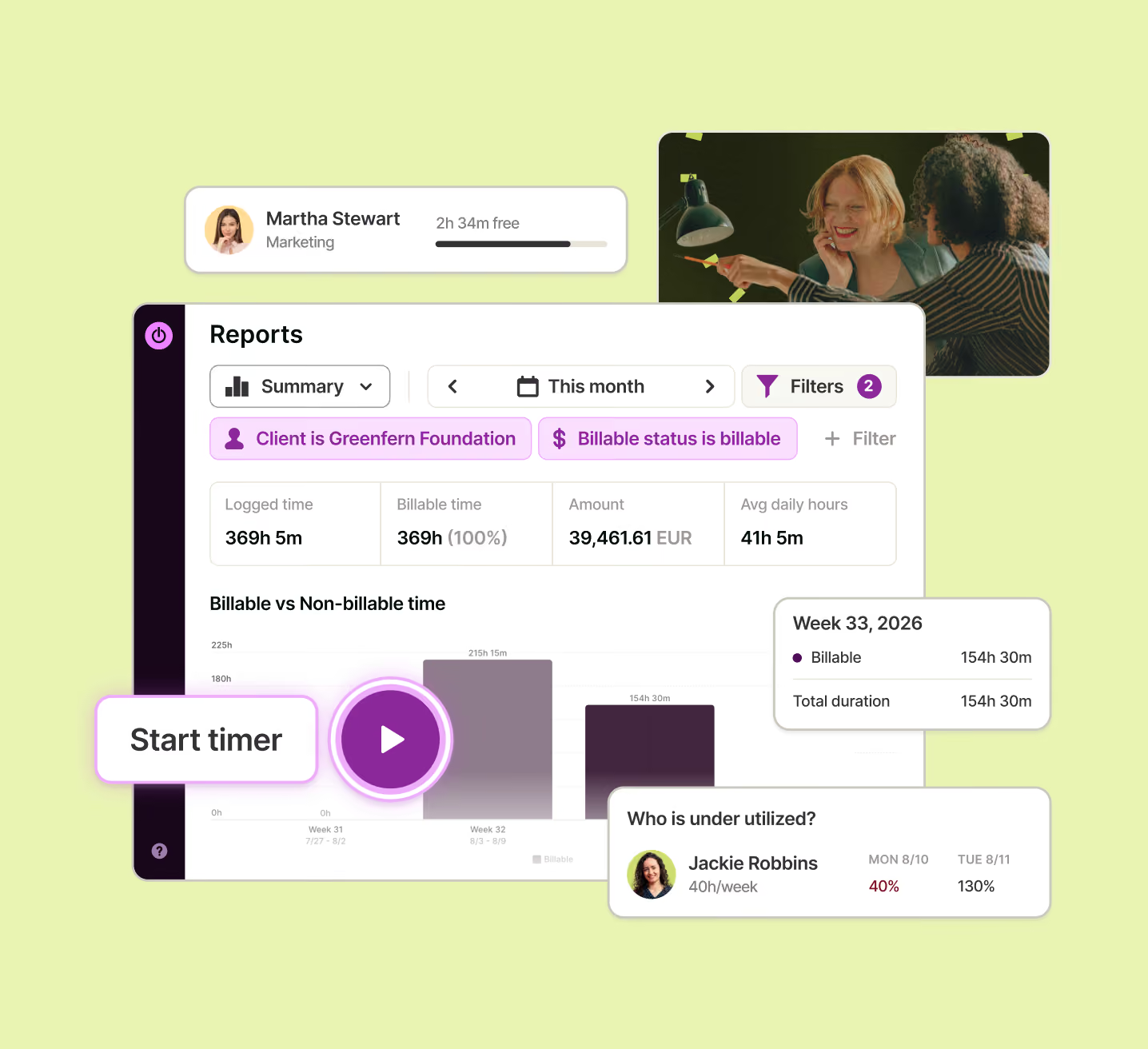







Managing a large team?
Easy, fuss-free onboarding
Instant setup, intuitive one-click time tracking and privacy-first approach to make it a breeze to get the whole team on board.
Multi-platform time tracking that fits into your workflow
Track time from inside other tools, whether Google Suite or Jira, from your desktop, your phone, or the web.
GDPR-compliant and committed to employee privacy
Toggl is compliant with the latest GDPR regulatory developments and takes a hard stance against employee surveillance
No credit card required
Free 30-day trial for all features
Cancel anytime



Time tracking for consultants that drives profitable decisions
Friday afternoon, you reconstruct your week from your calendar and inbox. The client call, Slack question, and unquoted revision — none of it makes the invoice. Meanwhile, “How booked am I, and which clients are worth keeping?” lives in a spreadsheet you rarely update.
Consultants lose money 15 minutes at a time — and find out at month-end.

Track time automatically, in your tools and on the go
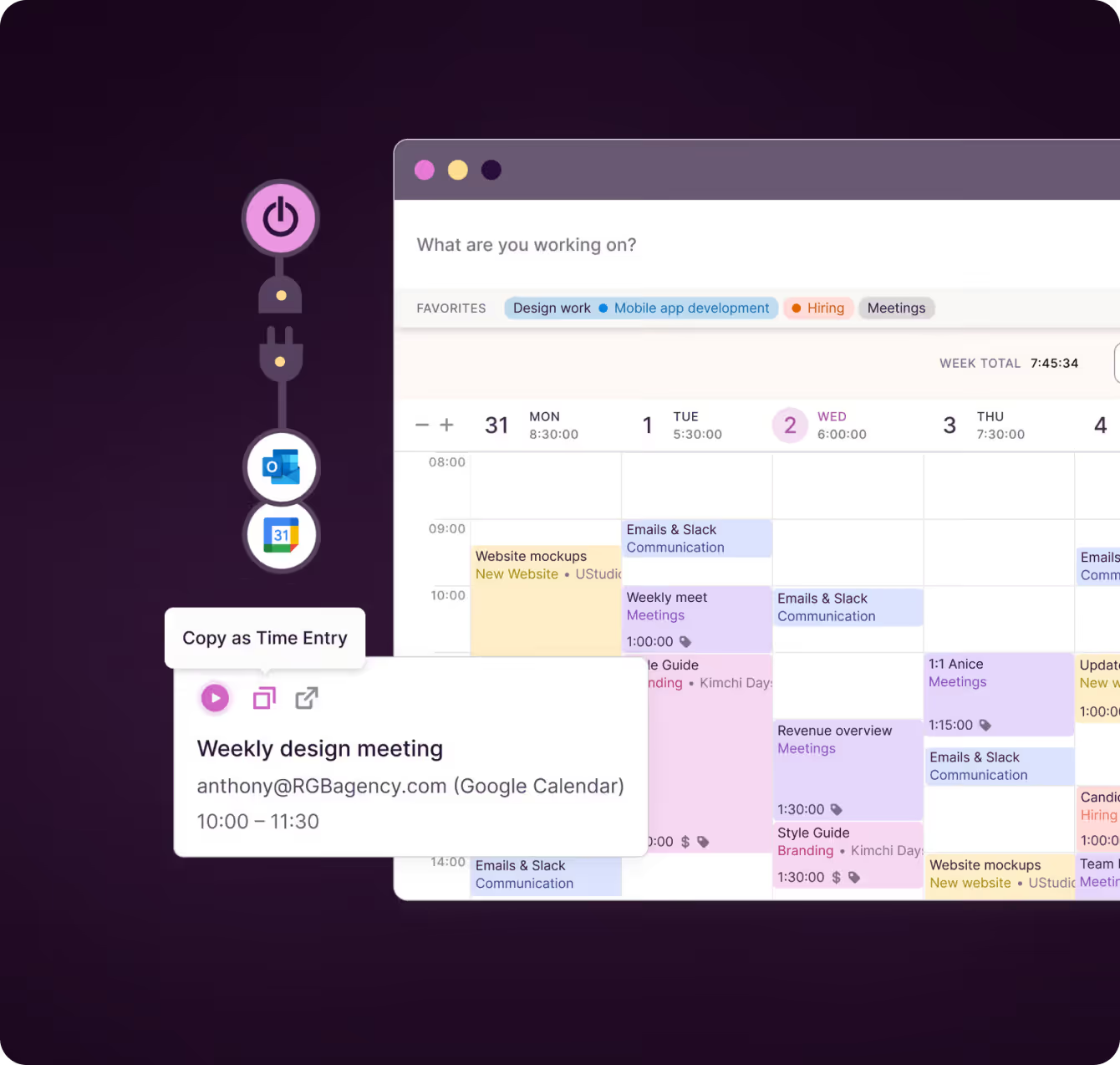
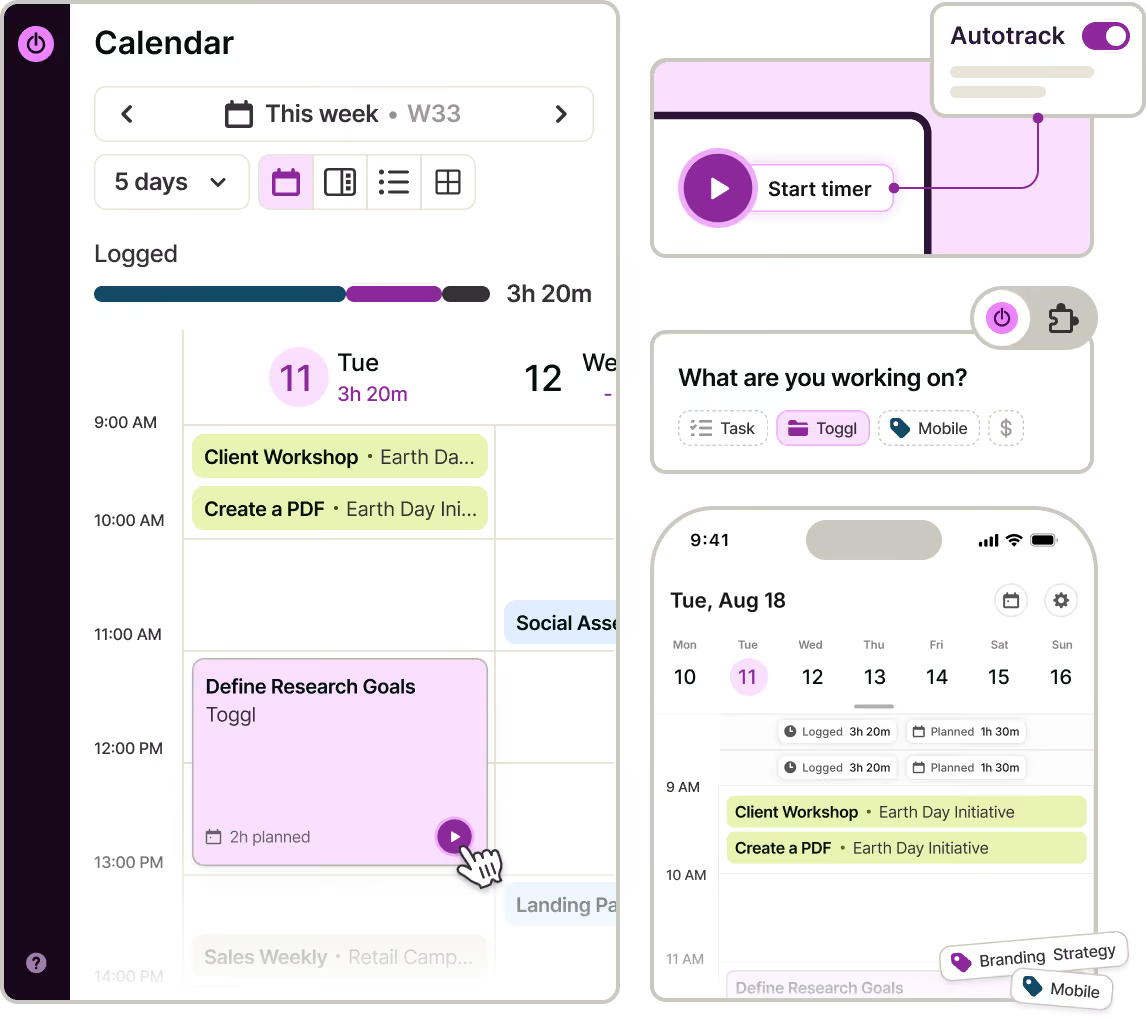
Start a timer for any client, project, or task from web, desktop, mobile, or a browser extension. Add time manually or turn calendar events into entries so client calls.
Connect your calendars, while desktop auto-tracking records what you worked on – and only you decide what stays private and what’s turned into a time log.
"It's extremely easy and intuitive, as well as non-invasive. That's why there was no resistance when we introduced the tool to our team.”
— Greg Martel, COO and co-founder, Newlogic

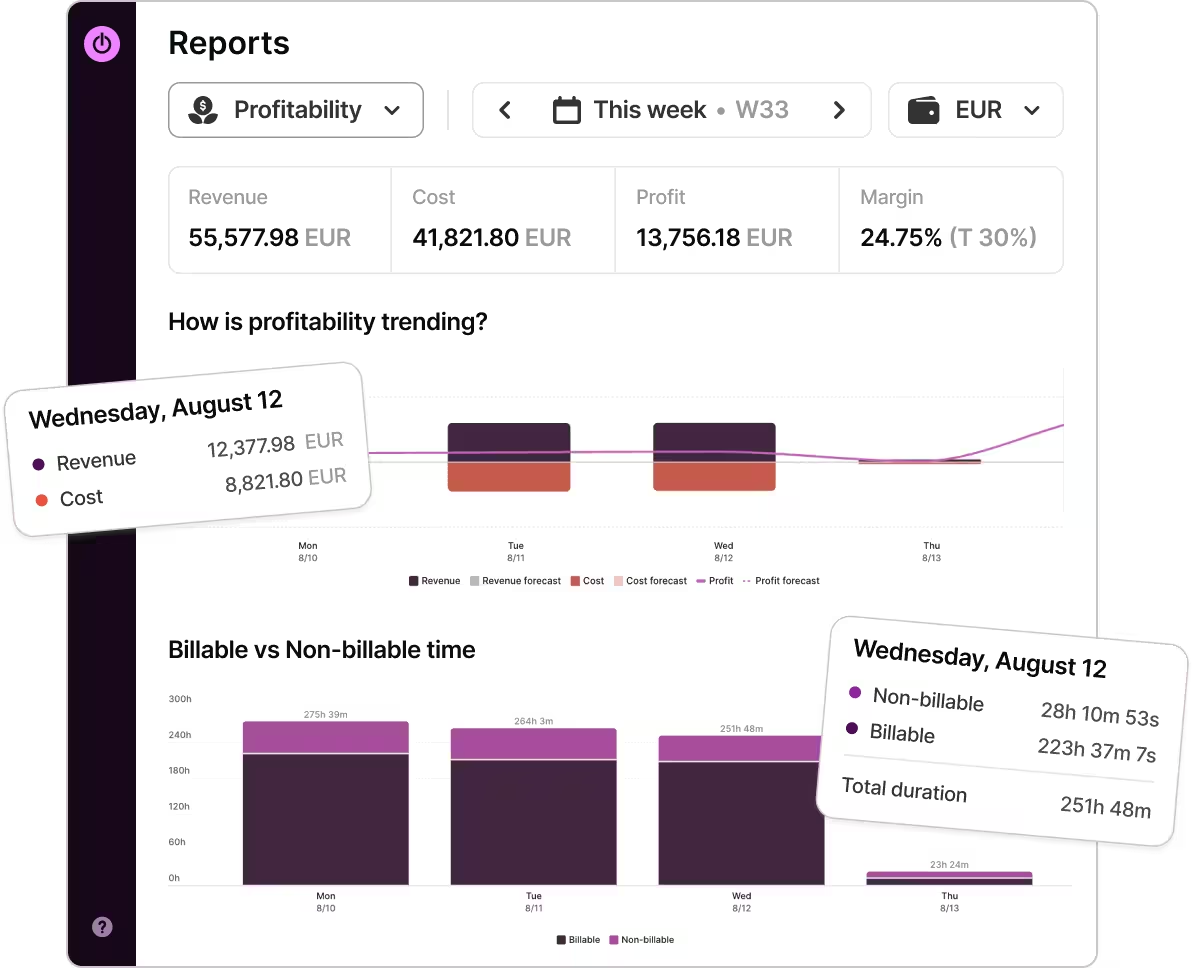
Turn hours into rates, margin and utilization
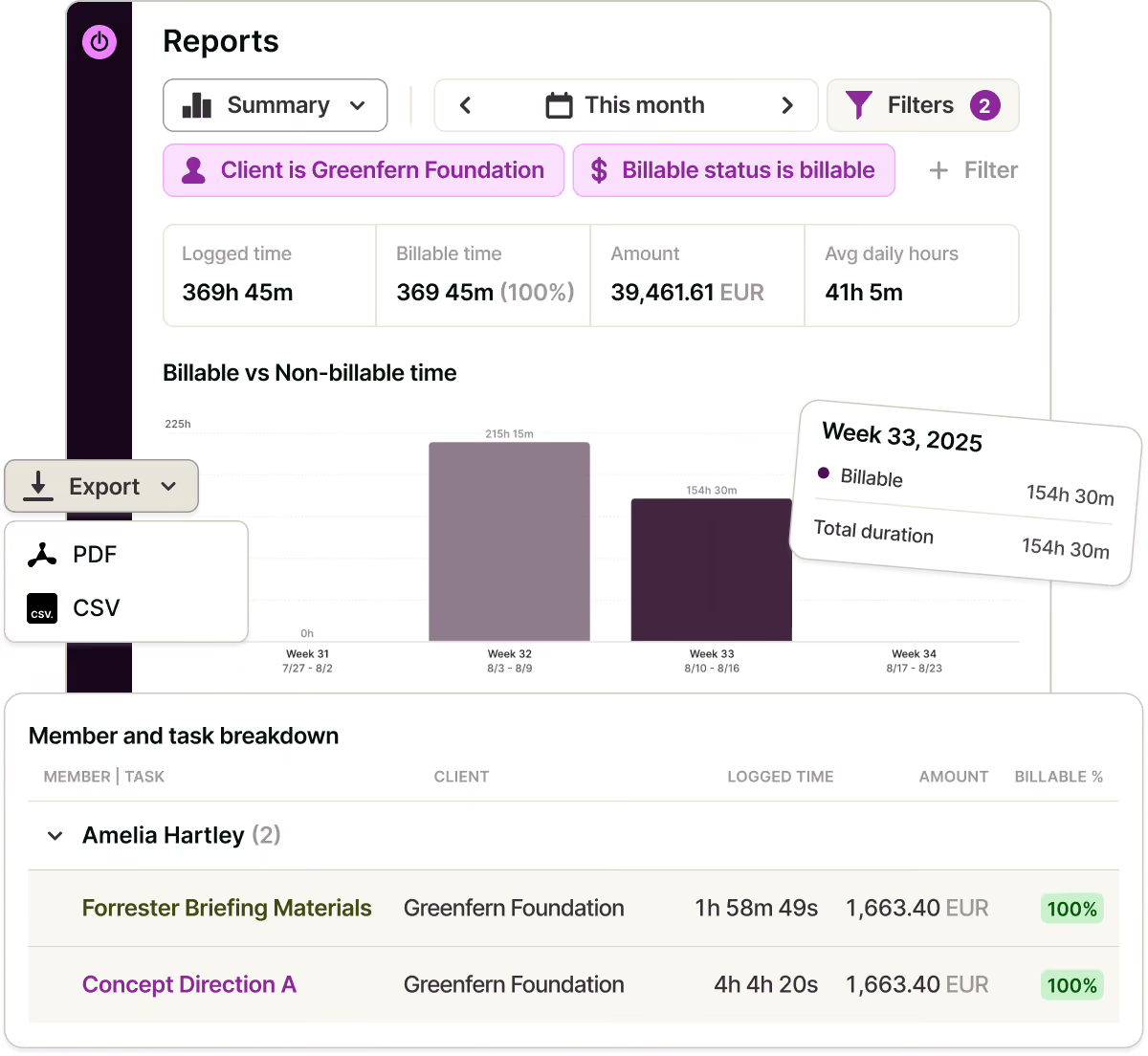
Set billable rates and labor costs to see revenue, cost, and profit for every client and project.
See utilization based on actual tracked hours – by person, week, or client.
Set budget alerts for fixed-fee work and time-estimate alerts for time-and-materials engagements, so you can adjust scope before margins disappear.
"We never over-scope because we own the scope and fulfill it.”
— Marek Šolc, CFO, Lighting Beetle

Give the client clarity and build trust
Each time entry includes a description, task, and client. Filter reports by client, period, or project, and round time to your billing increment.
Share reports or invite clients as Guests to view their projects. Timesheet approvals ensure nothing is billed without review.
"Time tracking brought transparency and trust into the relationship with our clients.”
— Dominika Babulicová, Marketing Manager, Lighting Beetle

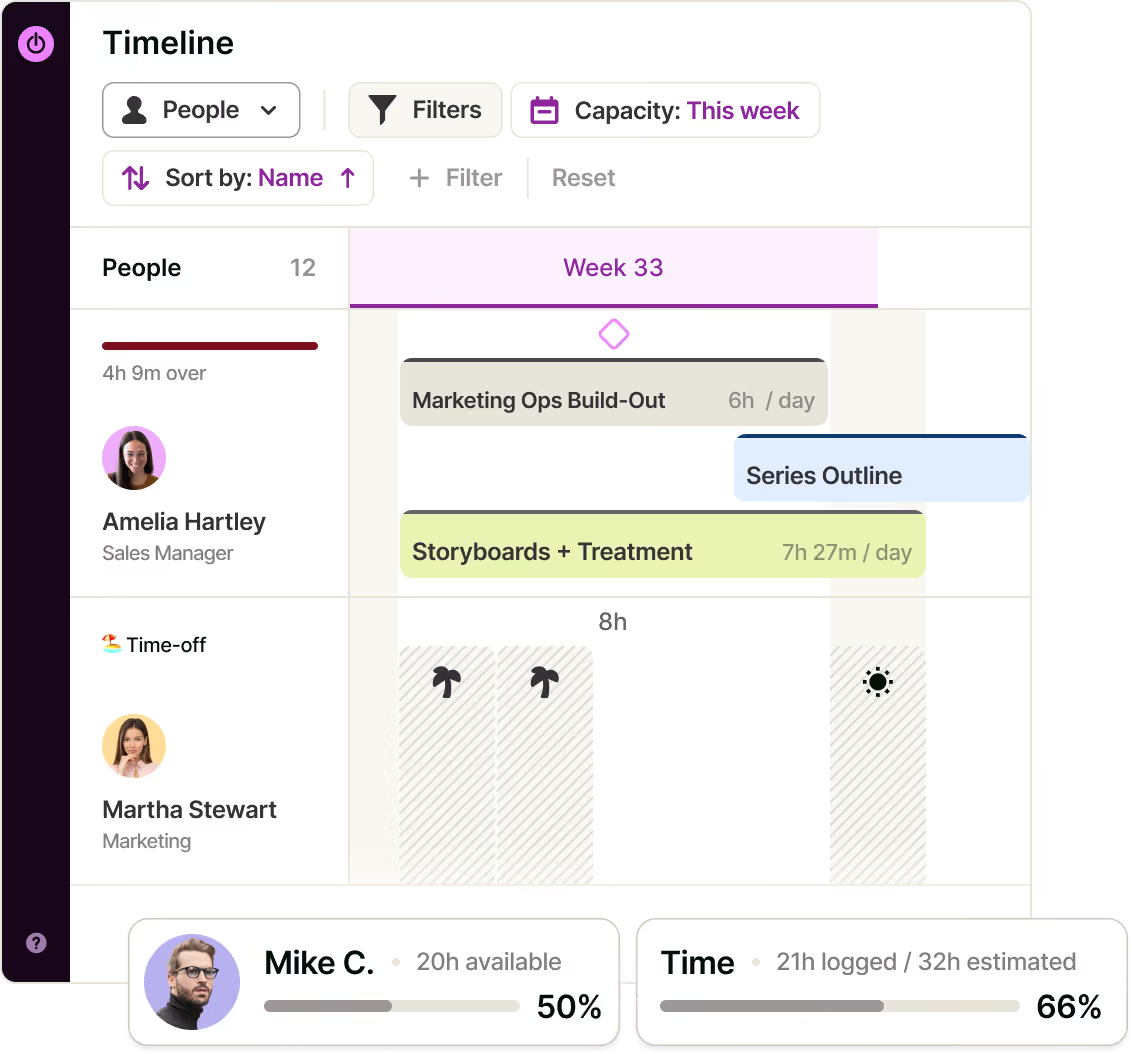
Plan the next project – with real-time capacity
This comes naturally when tasks and tracked hours live together.
Group the Timeline by People to see each consultant’s live capacity, including time off, holidays, and non-working days.
Compare estimates with actual hours to price future engagements using real data. Add milestones and switch between Board, List, Calendar, and Timeline – same tasks, nothing to rebuild.

Run the engagement, not just the timer
Toggl is where entire client engagement run, not just where it gets measured.
Build plans as tasks with owners, estimates and due dates, set your own statuses to match how an engagement moves from scoping to delivery, and pin milestones to the dates the client is holding you to.
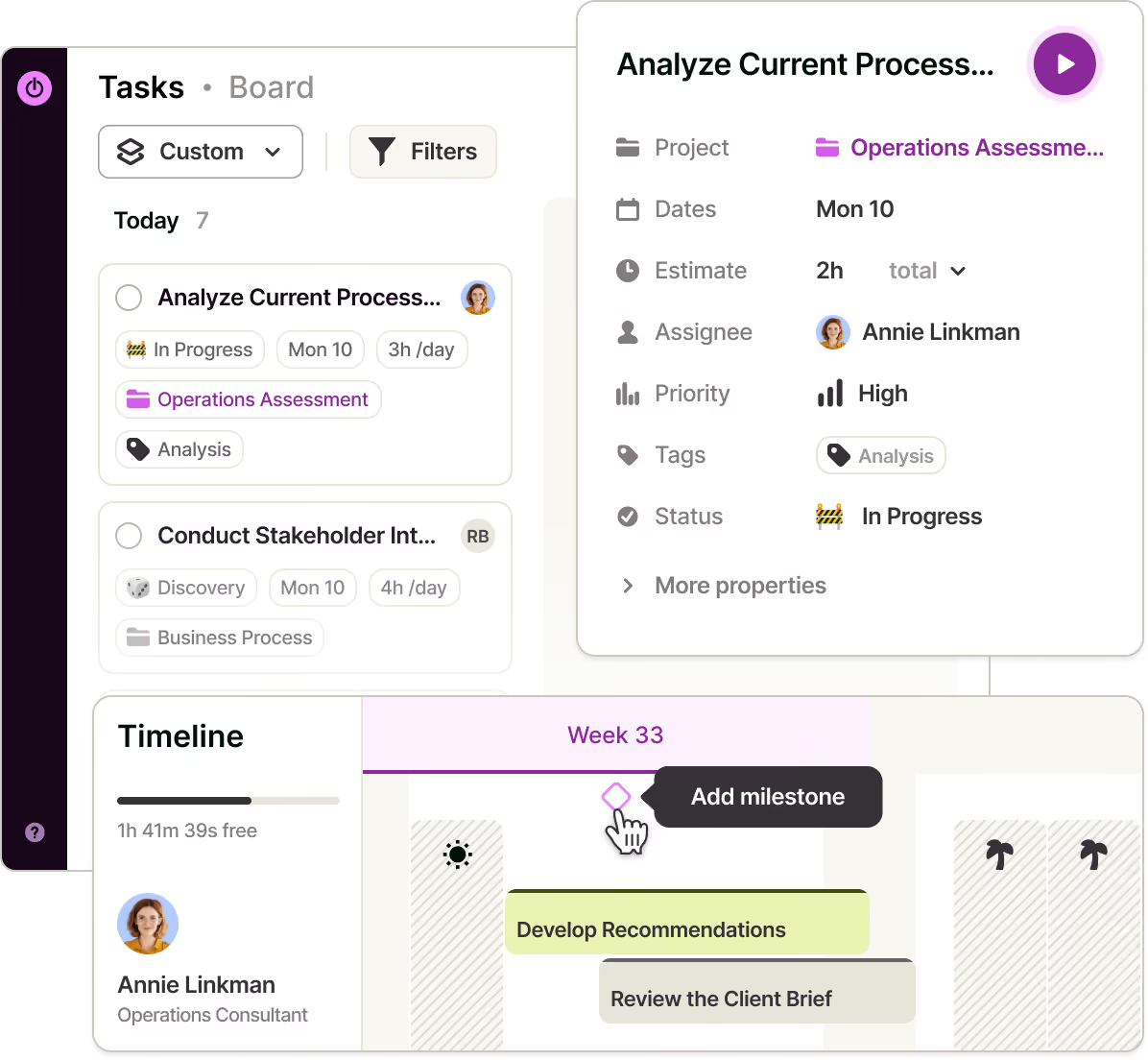
Track automatically with desktop keyword rules and a private activity timeline, or start a timer from a task, calendar event, browser extension, web, desktop, or mobile app.
Set project budgets and alerts before an engagement consumes the fee. Compare revenue with labour costs to know what to reprice at renewal.
Set different billable and labor cost rates by person and project, then see the margin on work delivered by your team.
Filter, round, and share reports — or invite clients as Guests. Review and approve timesheets before any hours are billed.
Compare estimates with tracked hours to scope and price the next proposal using real data from similar engagements.
See who’s available, fully booked, or over capacity based on working hours, time off, holidays, and planned work. Use utilization to decide whose capacity to sell next and when to hire.
Split the week cleanly across clients, add milestones, and view the same work on a Board, Task list, Calendar, or Timeline — without rebuilding anything.
Turn Google Calendar or Outlook events into time entries, connect existing workflows through the browser extension, and integrate internal systems using the API or MCP.
One source of truth for every consulting team
FAQs


