

Time tracking
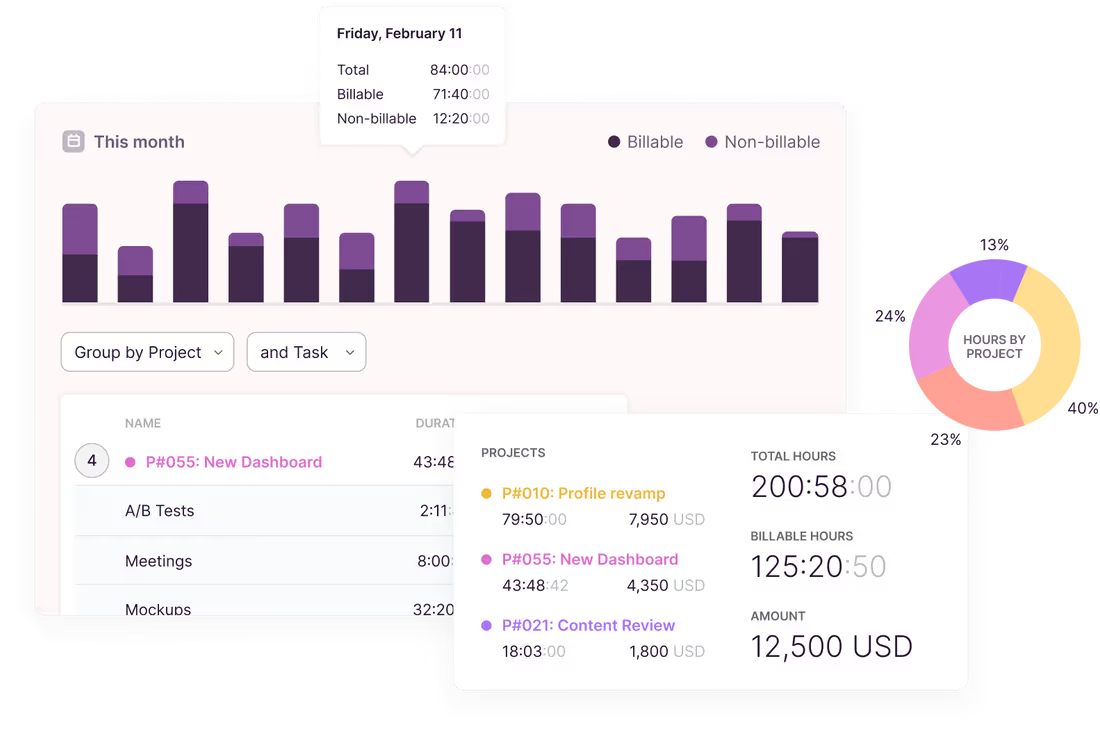
Start a timer, log hours after the fact, or fill in a week at a time. Use Focus mode and Pomodoro timers to drive productivity. With Toggl, your time data is always accurate.
Toggl records which apps and sites you used (securely and privately) and lays them out on a timeline. You decide what becomes a time entry. Calendar events can turn into entries automatically, so you don’t forget to log them.
See your entries alongside Google and Outlook calendar events. Click a calendar event to log it, or enable automatic tracking for that calendar.


When the timer is running but the device has gone quiet, Toggl prompts you so stray hours don’t end up on a client’s bill.

Generate timesheets for every team member. Add approvals to let them submit time, so approvers can review, accept, or request changes.

Track time in the tools you already use (like Jira, Asana, and GitHub) via native integrations, browser extensions, API, or our MCP for AI assistants.

Set recurring time targets and track against them as you work. See where you stand on your Timer page, not at the end of the week.

Notifications when logged time hasn’t reached or has passed a threshold.

Time billing & profitability
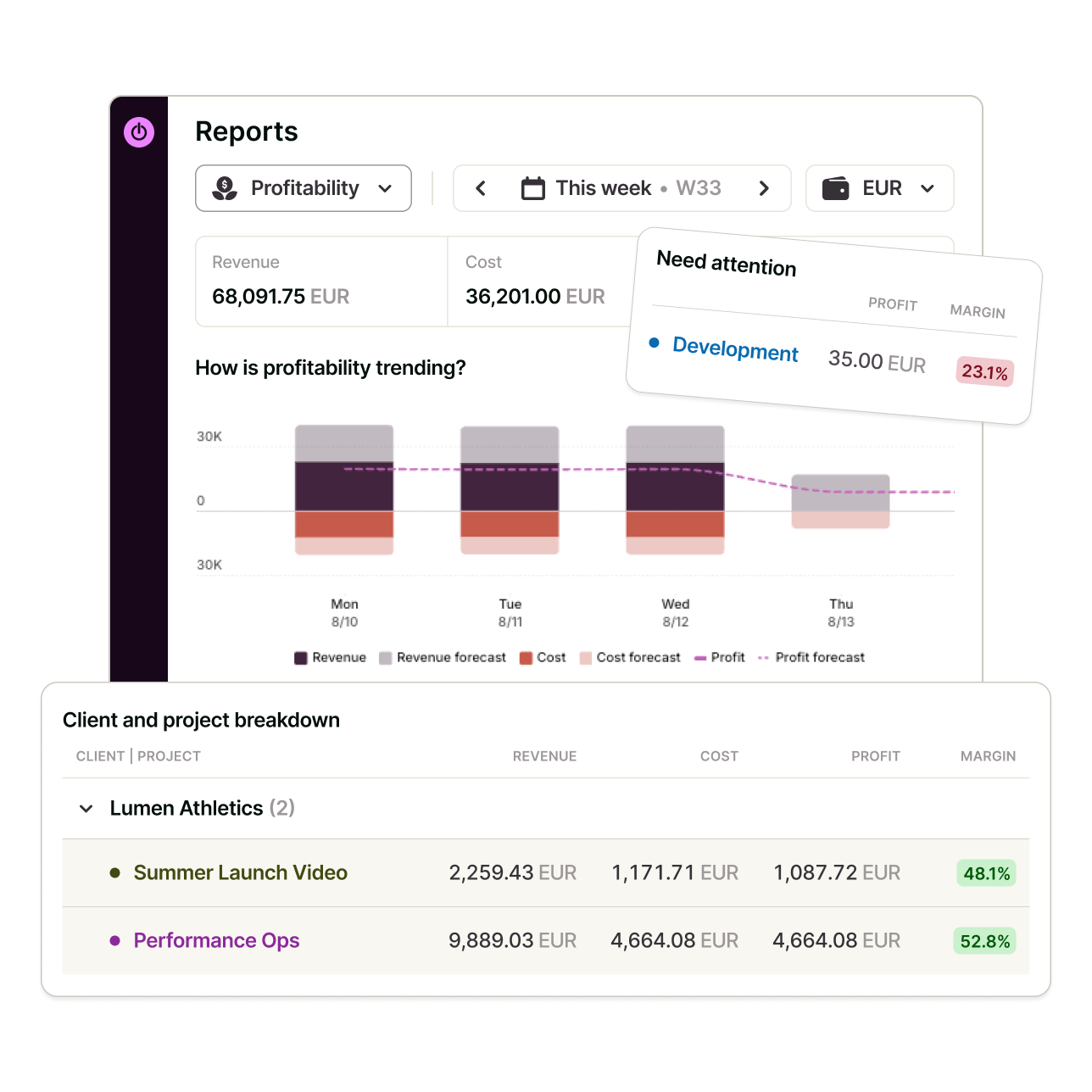
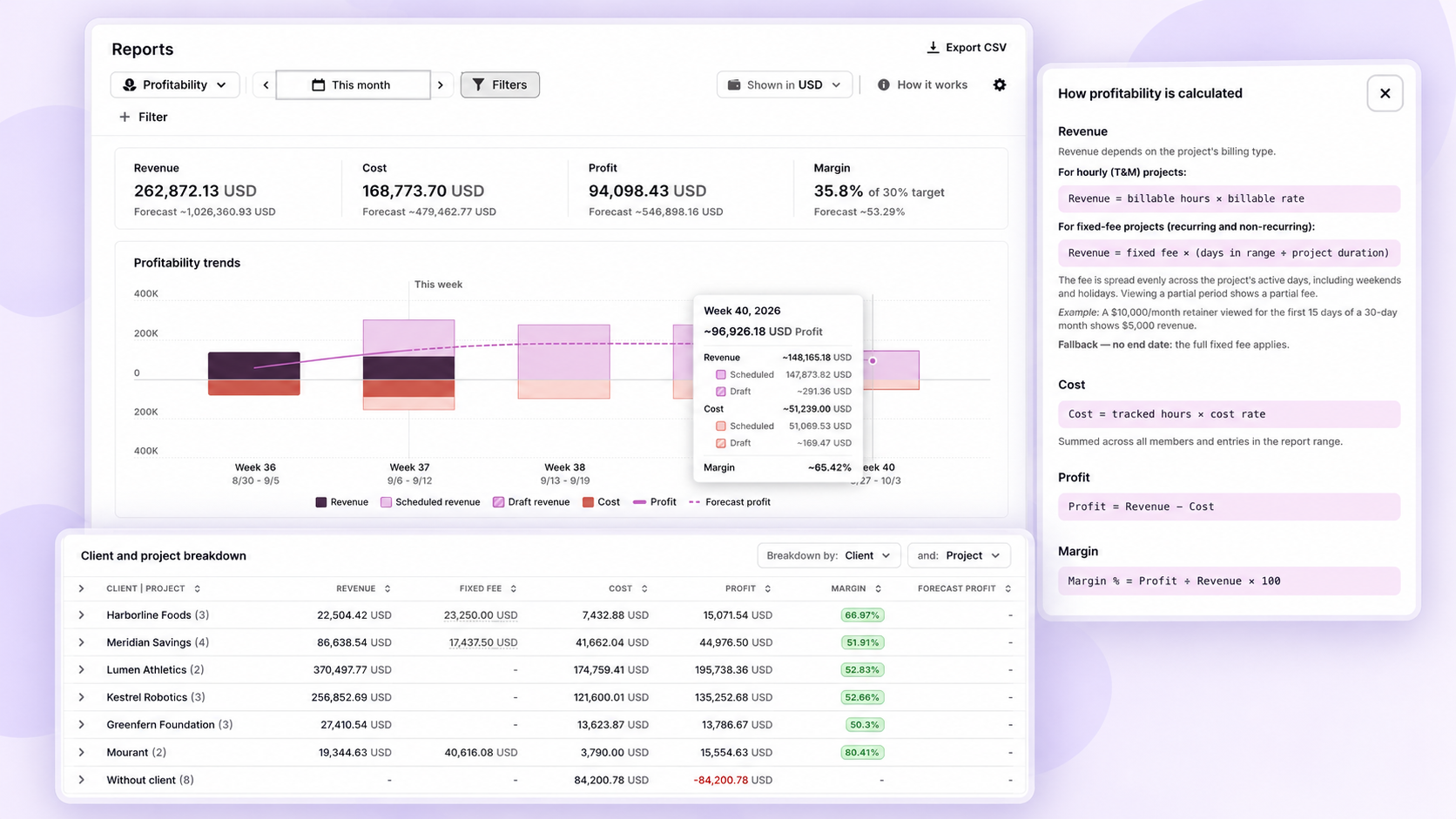
Combine billable time with labor cost data to understand which work generates profit. Use revenue, cost, profit, and margin across projects, clients, tasks, members, and tags.
Track every billable hour and set rates at workspace, member, project, or project member level. Every hour carries its own value, so the reports and invoices add up, without having to rebuild them in spreadsheets.
Define the budget a client is expected to pay when projects aren’t billed purely on an hourly basis. Track whether your team’s logged time and billable rates are staying within the agreed client budget and make adjustments to protect profitability.

Round entries up or down to the nearest interval of your choice (with several increments to choose from).

Set thresholds per project. Toggl emails you the moment one is reached.

A quick read on total hours by project, client, and member, plus a full log breakdown for audits.

Group and filter team-level data by member, project, client, and tag (or ask Toggl AI in natural language).

Add the fields your billing and reporting need, then slice reports by them.

Send reports to clients and finance in whichever format they ask for.

Capacity planning
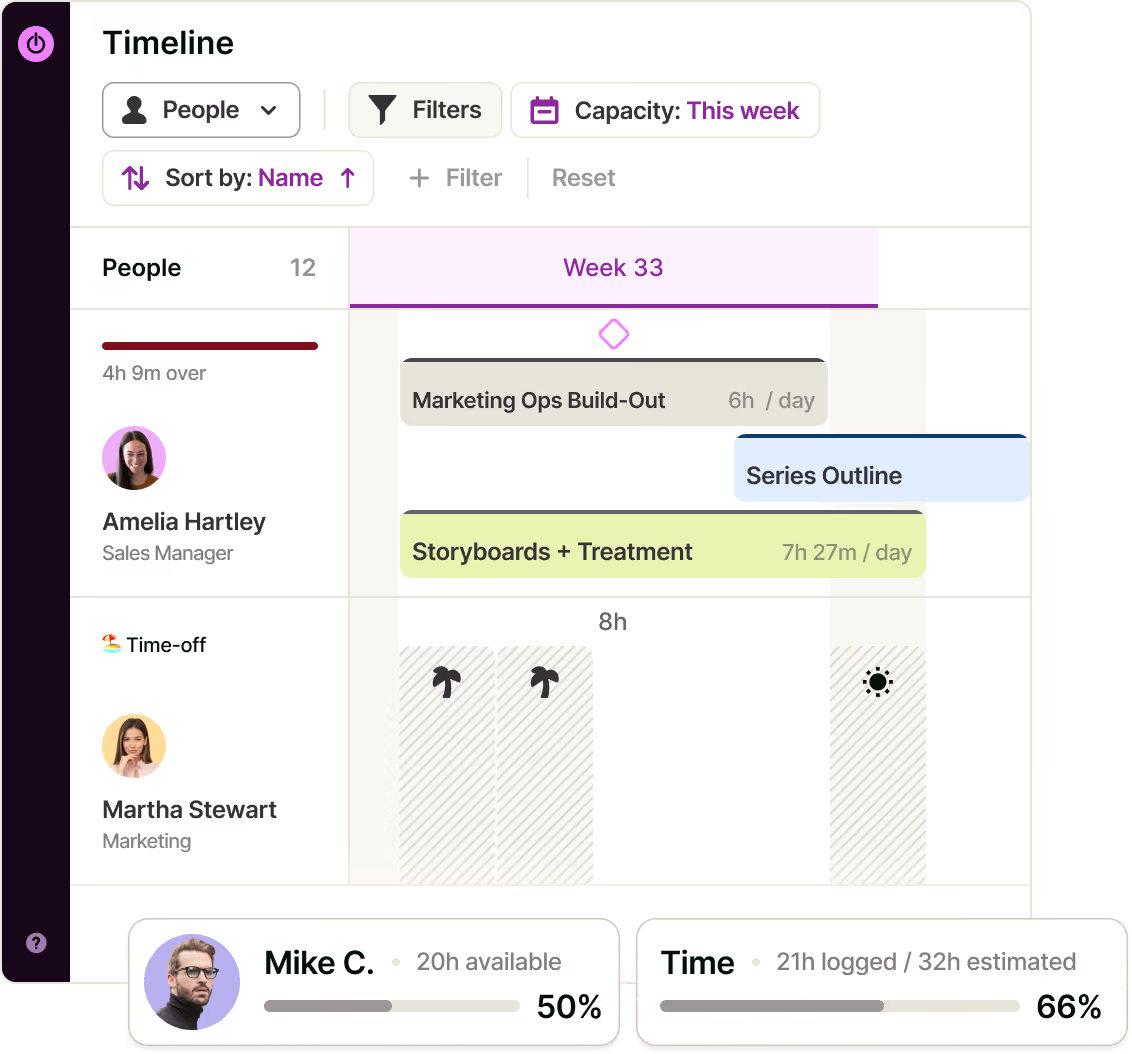
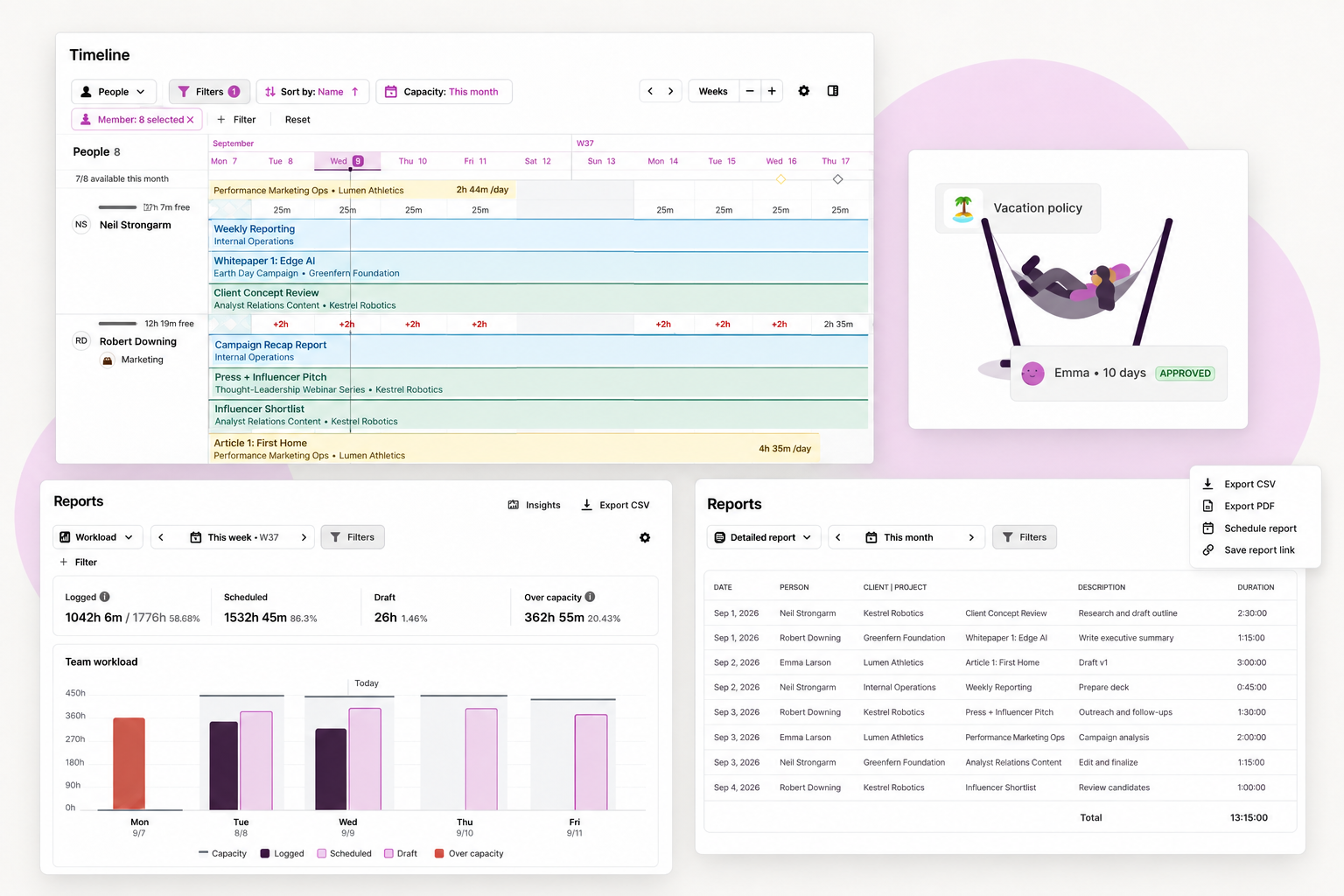
See who is overbooked and who has room to take more on. Set a utilization target that matches how your team works and measure against that rather than a generic 40-hour week.
Account for PTO, local public holidays, and each person’s own working hours automatically. This ensures capacity calculations are always based on reality, instead of estimations.
Model possible work to see what it would do to everyone’s schedule. Include it in your capacity planning before saying yes to prevent overwork and manage expectations.

See over or under capacity per person, so you can rebalance before a deadline slips.

Plan across people and projects, filter by member, project, or task, and save a timeline to reuse.

See the bigger picture by pulling back from the week to the next quarter.

See upcoming scheduled and tentative work to understand future capacity, expected utilization, and projected profitability.

Set schedules based on how everyone works rather than defaulting to a nine to five.

A complete solution for approvals, balances, and leave policies. Approved time off automatically updates capacity.


Project management

A Board with Kanban cards, a Task list, a Timeline, and a Calendar for dropping work onto specific days. Switching views doesn’t rebuild the work, while your filters follow you across.
Track time and set estimates for every task, so you know how long work actually takes. Planned and logged time sit side by side, so your next quote is based on what the last one really took.
Progress by task and by member, actuals against estimates, and a projected finish date. See problems while there’s time to fix them.

Set task details, subtasks, and recurring tasks. Organize them in Task, Board, Timer, Timeline, or Projects views.
Learn more about Toggl's task management.

Repeat weekly through to annually, with budgets and control over how unused or overrun hours roll over.

Save a project’s task list, assignments, members, rates, and fee setup, then reuse it.

Put more than one person on a task when the work is shared to ensure visibility and collaboration.

Keep sensitive work visible only to the people doing it. New projects and standalone tasks are set as private by default.

AI & MCP
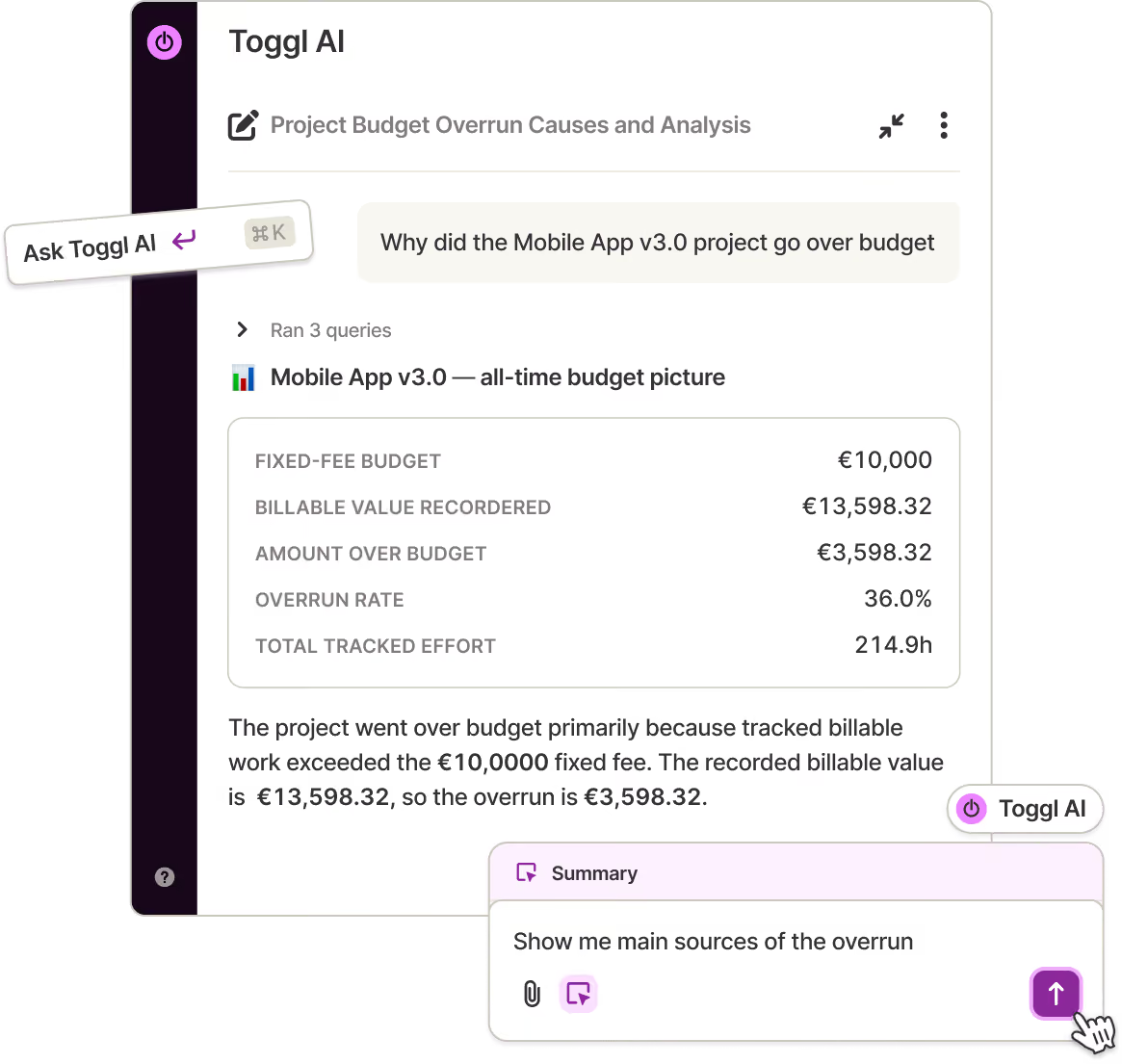
Ask in plain language how many hours a team logged last week, which projects went over estimate, or who hasn’t tracked time yet. Answers come from your reporting data, with the numbers behind them. The chat asks a clarifying question when a prompt is ambiguous.
Ask Toggl AI to log time, create projects, tasks, and tags, or change workspace settings, and it does the work. If you’re not sure how a Toggl feature works, just ask the chat and our AI will explain it to you.
Connect Toggl to Claude, Cursor, or Codex and handle tasks, projects, time entries, and reports without leaving your AI assistant. The CLI reaches the same API from your terminal for scripts and automation.

Turn a brief, a set of notes, or a rough idea into structured tasks.

Change projects and tasks in batches rather than one at a time.

The chat sees and does only what your role already allows.

Every response is built on your reporting data, and Reports are always there to cross-check.

Organization admins can switch AI features off for everyone, enforced on Toggl’s servers.

MCP and CLI follow your plan. If you can do it in the web app, you can do it here.

Team management and reliability
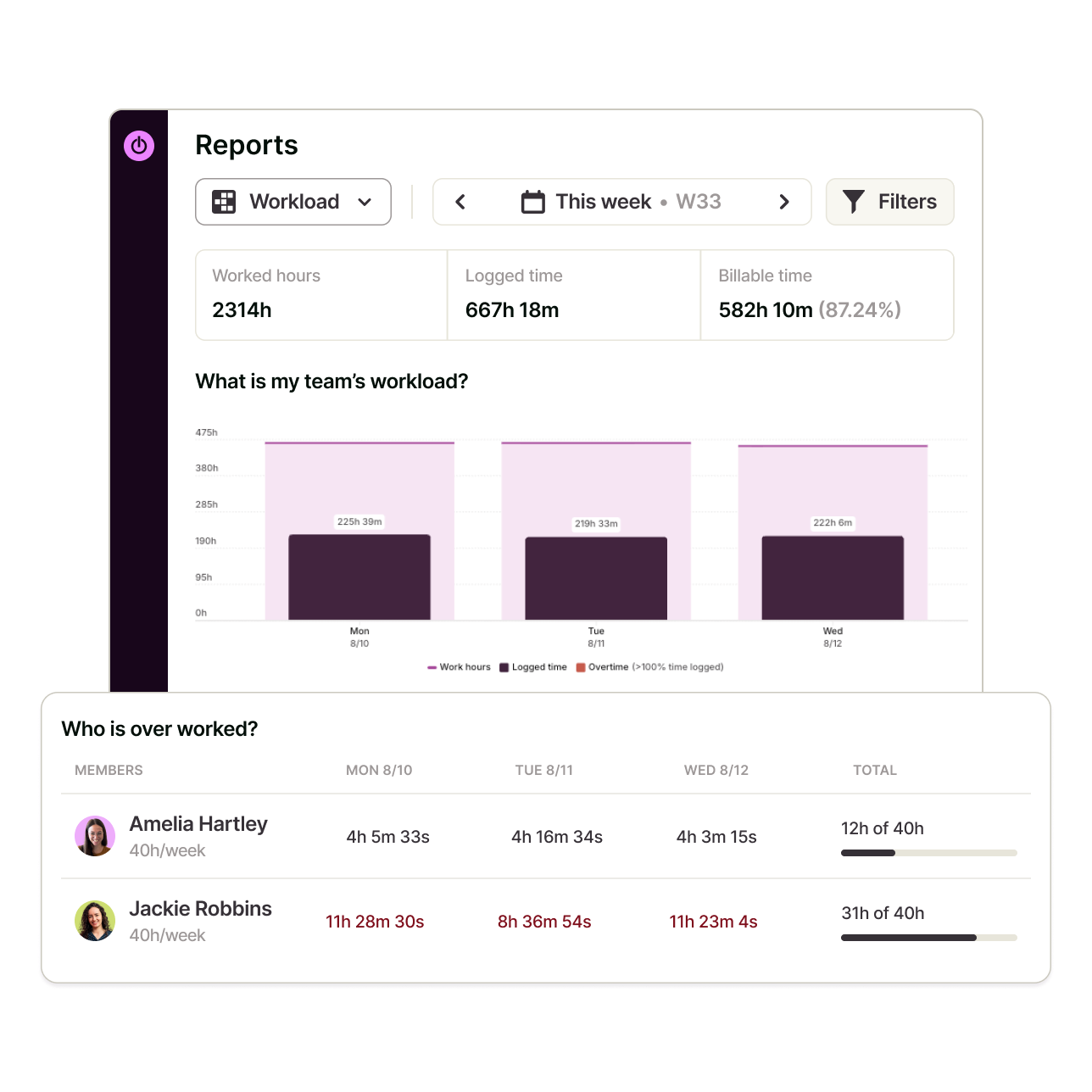
Toggl’s time tracking is designed for quick team adoption and consistent time tracking. You get accurate and reliable time data, instead of missing hours and incomplete timesheets.
Give people the access their job needs, keep projects private where they should be. Bring clients in as guests without handing over the whole workspace. Enterprise customers get custom roles for even finer control.
Required fields prevent half-finished entries from reaching reports. Tracking reminders email anyone whose hours fall below target.

Enforce SSO-only login for users on approved domains.

Run separate teams or clients under one organization.


No device screenshots, keystroke logging, webcam monitoring, or location tracking.

ISO/IEC 27001 certified and SOC 2 Type II compliant with 99.9% uptime.

Enterprise customers get personalized onboarding and a dedicated Customer Success Manager.
Users love us!
Online, offline or on the go? We have an app for that!


Managing a large team?
Trust & compliance
Independently audited. Your team's data stays your team's data.